
How to trade Flip Indices on Deriv MT5
A step-by-step guide to finding and trading the four new Flip symbols on Deriv MT5, where the next price move is random.
By the Deriv desk · 14 August 2026 · 3 min read

Crash Boom Flip Indices are now live on Deriv MT5 Standard accounts. To trade them, find a Flip symbol in Market Watch, open a chart to learn its pace, then place a buy or sell order with a plan for both directions. What sets them apart is that the next move is random, so the old “buy Boom, sell Crash” rule no longer applies. Since all four symbols (Flip 150, 300, 500 and 1000) function identically, the following steps apply regardless of which one you choose.
Before you start
- What you need: A Deriv MT5 Standard account, either a demo or a real one.
- Practise first: If you haven't traded Crash Boom Flip Indices before, start on a demo account. The random price switches behave differently from a typical index, and a demo account lets you practise trading them with virtual funds before using real funds.
What the 150, 300, 500 and 1000 mean
The number is the pace of the index, not a price. It reflects how frequently ticks arrive, so a lower number like 150 moves at a different rhythm from 1000. Pick the one whose pace suits how closely you want to watch the chart.
Step-by-step
1. Log in to your Deriv MT5 Standard account.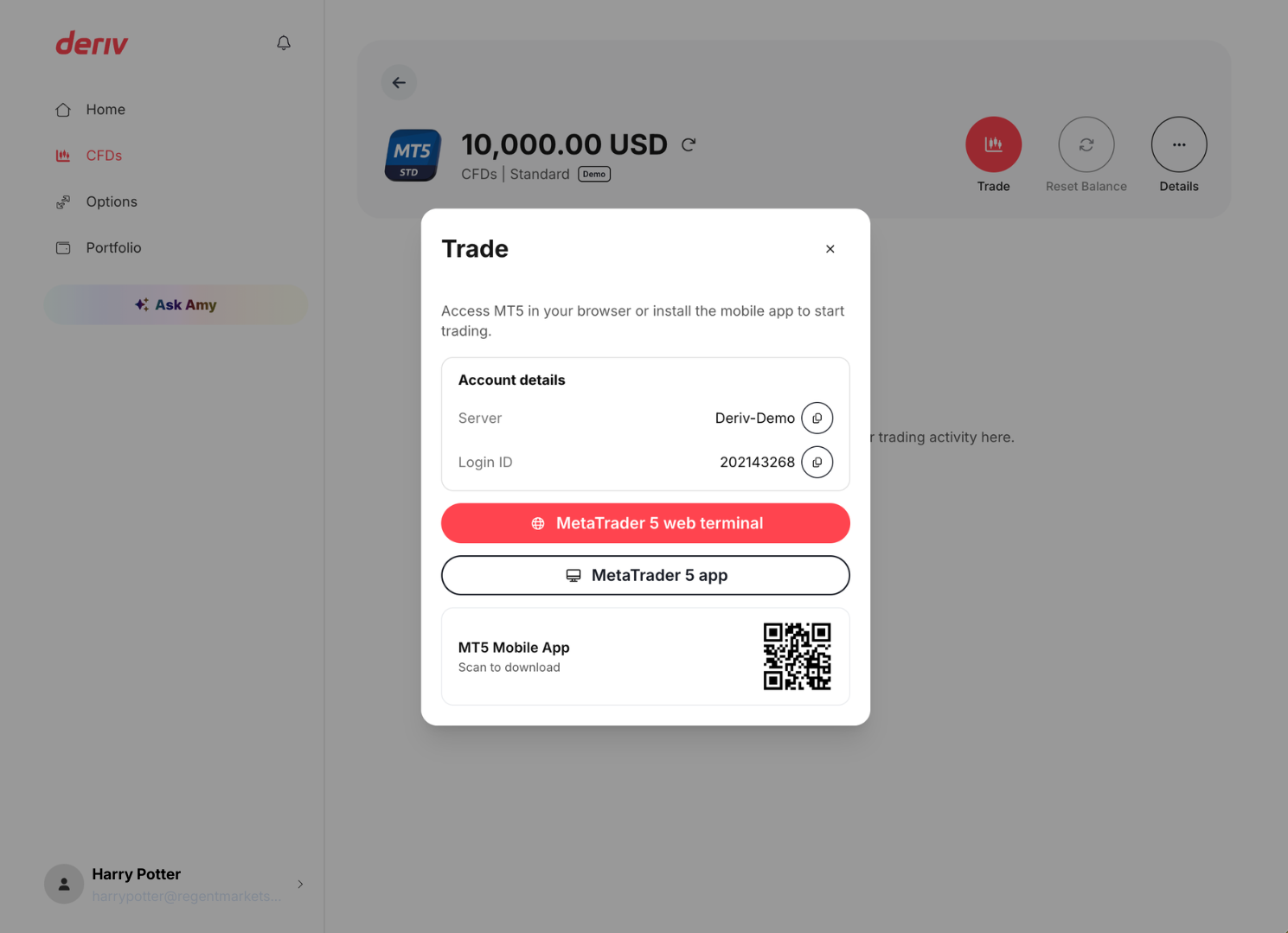
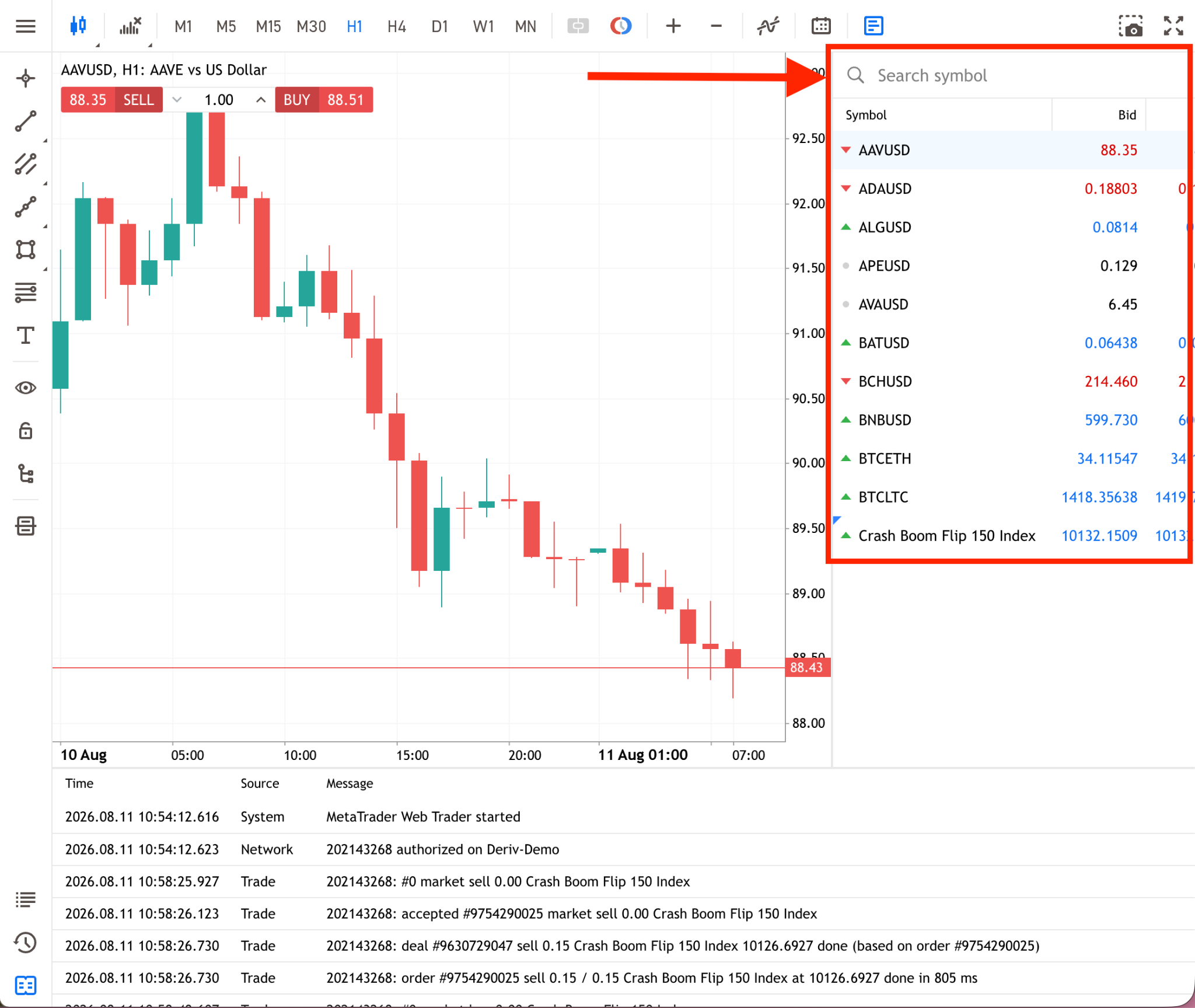
3. Pick the symbol you want to trade: Flip 150, 300, 500, or 1000.
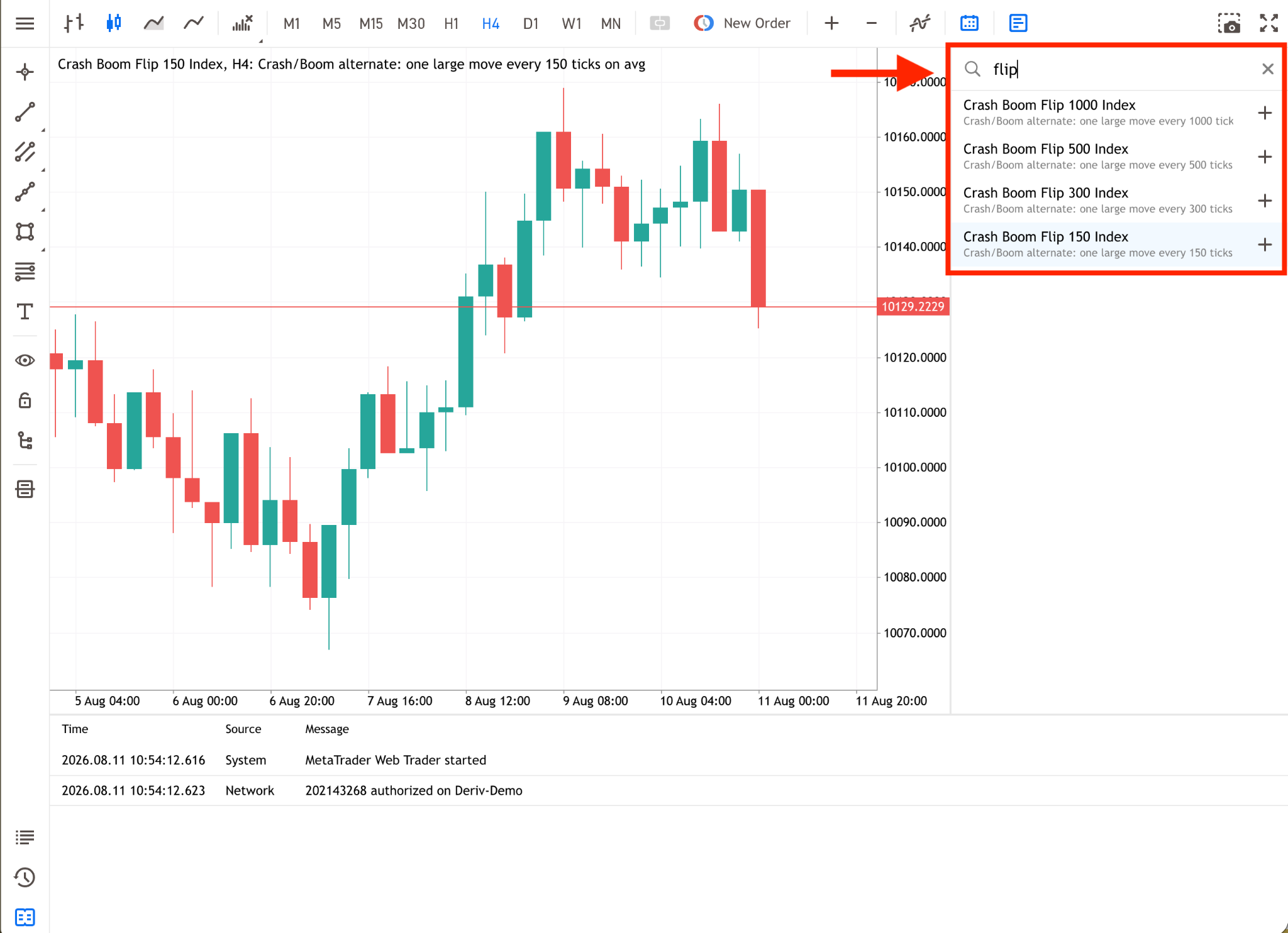
4. Pick your time view.
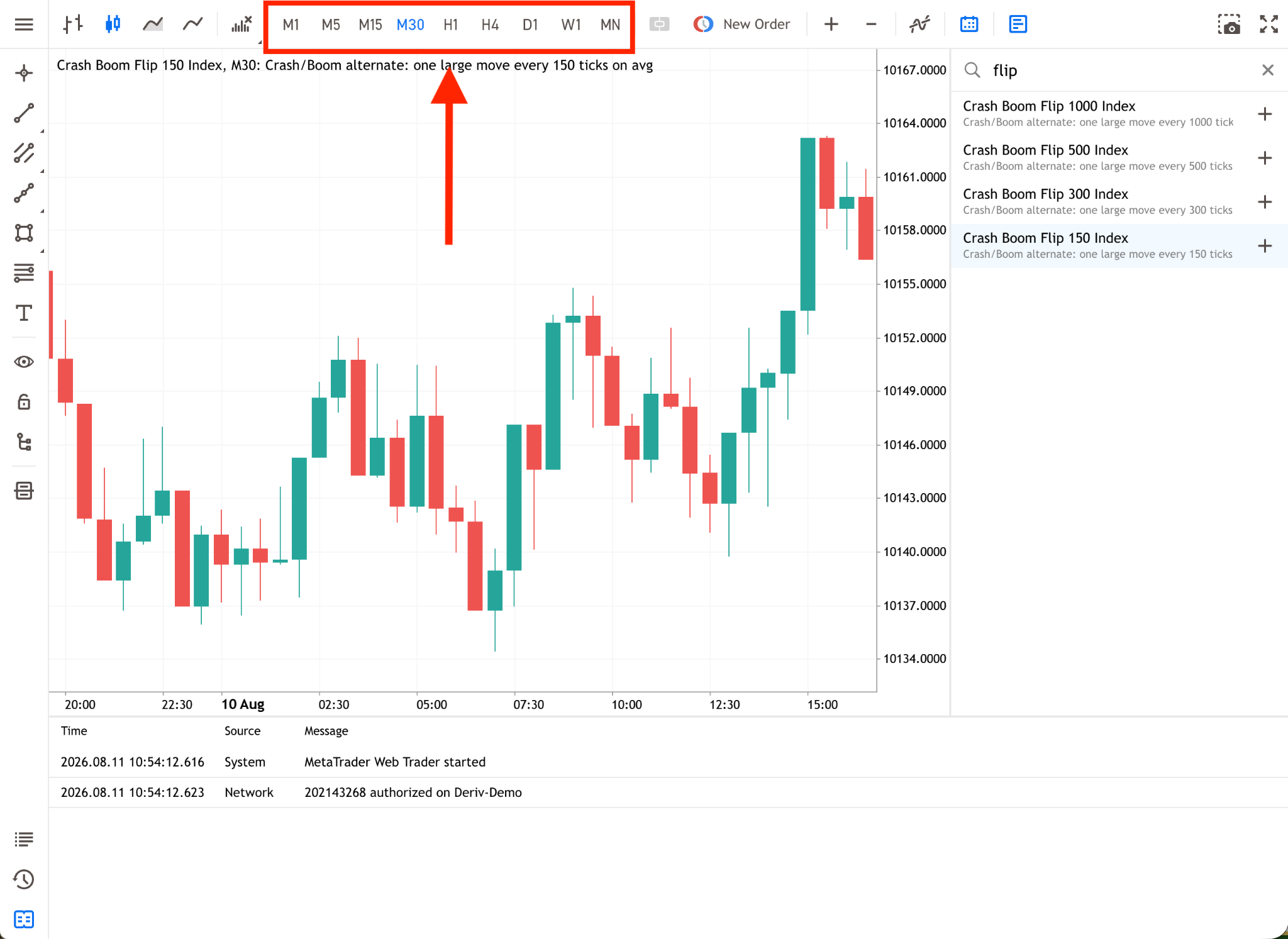
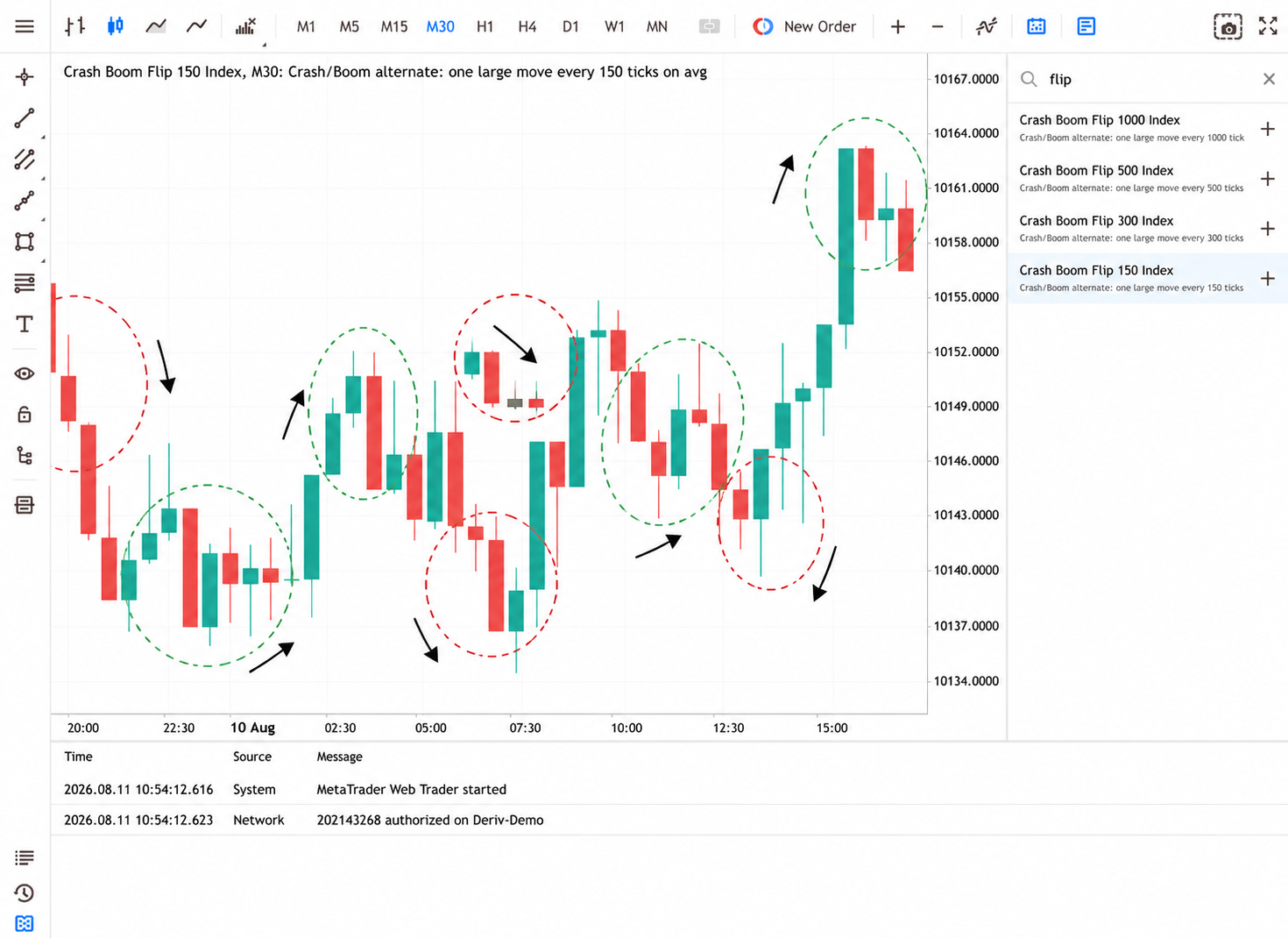
5. Watch the chart for a bit. Because the next move is random, you’re just learning how fast it moves, not trying to guess the next direction.
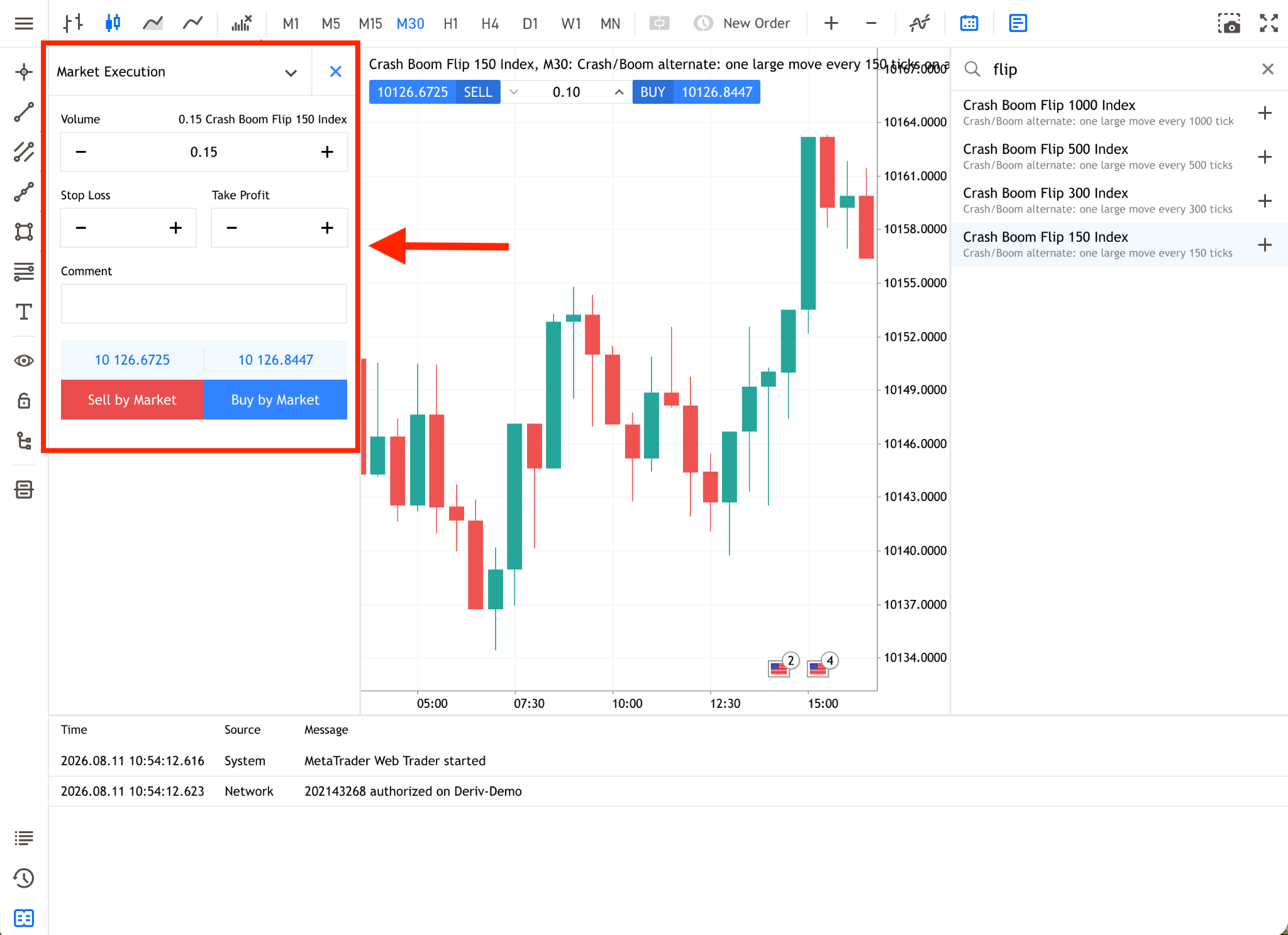
7. Manage your trade with a plan for both up and down moves, since both can happen at any time.
A note on strategy
Many traders are used to a simple rule with Crash and Boom Indices: buy on a Boom, sell on a Crash, because each of those indices always moves the same way. That rule doesn't carry over to Flip Indices, since the direction of the next move isn't fixed. No indicator can predict a random switch, so chasing spikes with one is not the point here. Choosing a trade size you're comfortable with, and having a plan ready for either outcome, matters more than trying to predict which way the price goes next.
The Deriv MT5 platform gives you the same charting and order tools you'd use for any other index. That makes it straightforward to open a Flip chart, watch how it behaves, and place a trade once you're ready. The tools don't change, only the pattern behind the price does.
Crash Boom Flip indices are now live, it's the perfect time to explore these new symbols and see how they fit into your trading routine. If you'd like to compare the pace of each symbol before choosing one, take a closer look at how the 150, 300, 500, and 1000 versions differ.
Try it on Deriv MT5
Log in to your account to start trading, or open a free demo account to test these indices first.
Trading involves significant risk. You may lose some or all of your invested capital.